Components
Components
Turn notes into an executable system
Tasks, references, and progress often live across different pages. Bring them into one view and priorities become clear again.
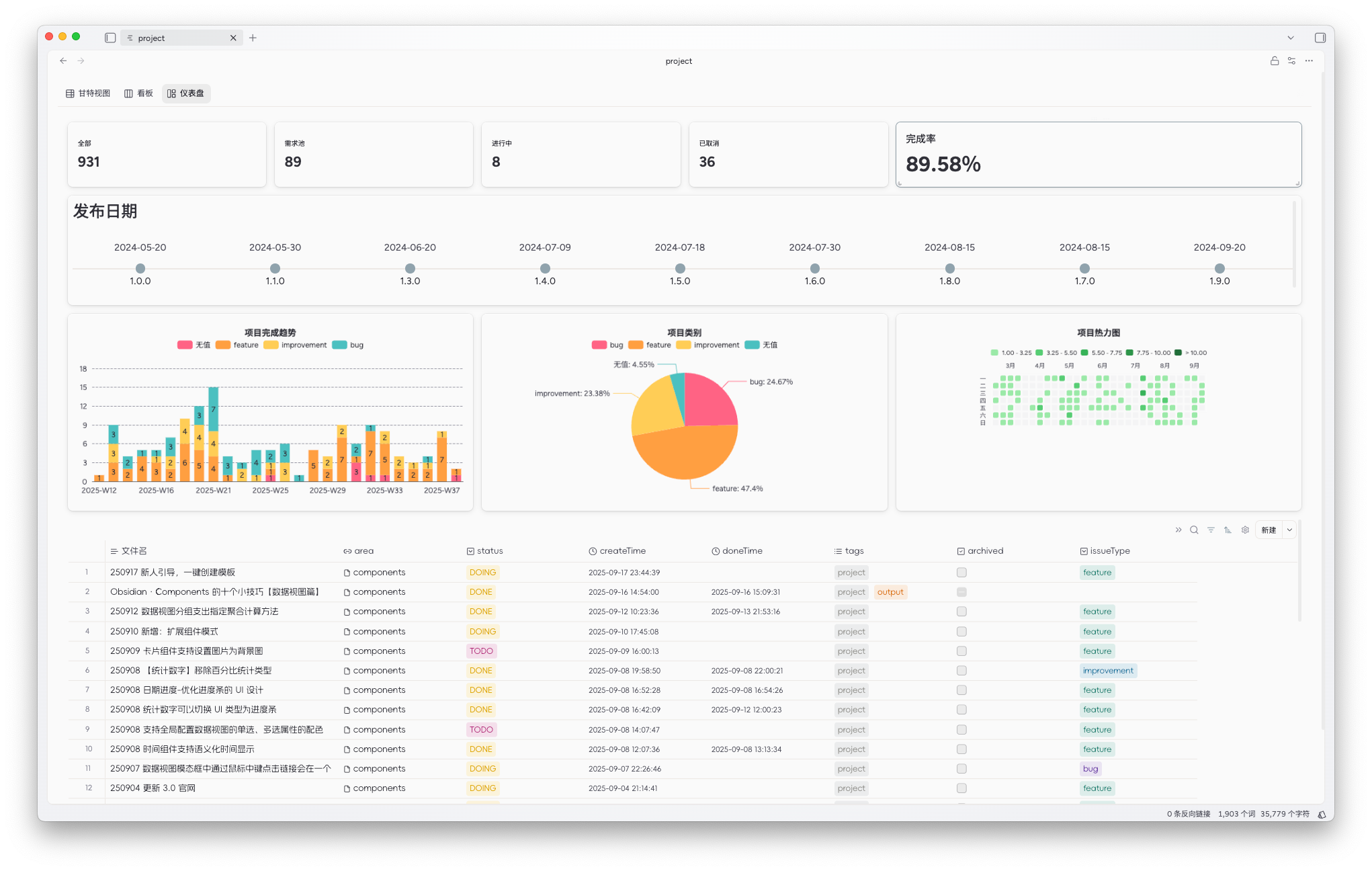
Data views
Pull the same data set from across your vault with filters, then switch between table, gallery, kanban, calendar, and gantt views.
Value: one source of truth, multiple ways to think, plan, execute, and review
NameStatusPriorityOwnerDue
Launch AI Agent workflowIn progressP0Vran03-09
Upgrade database template libraryPlannedP1Moy03-15
Organize user case hubIn progressP1vran03-21
Write docs for the user case hubIn progressP1vran03-21
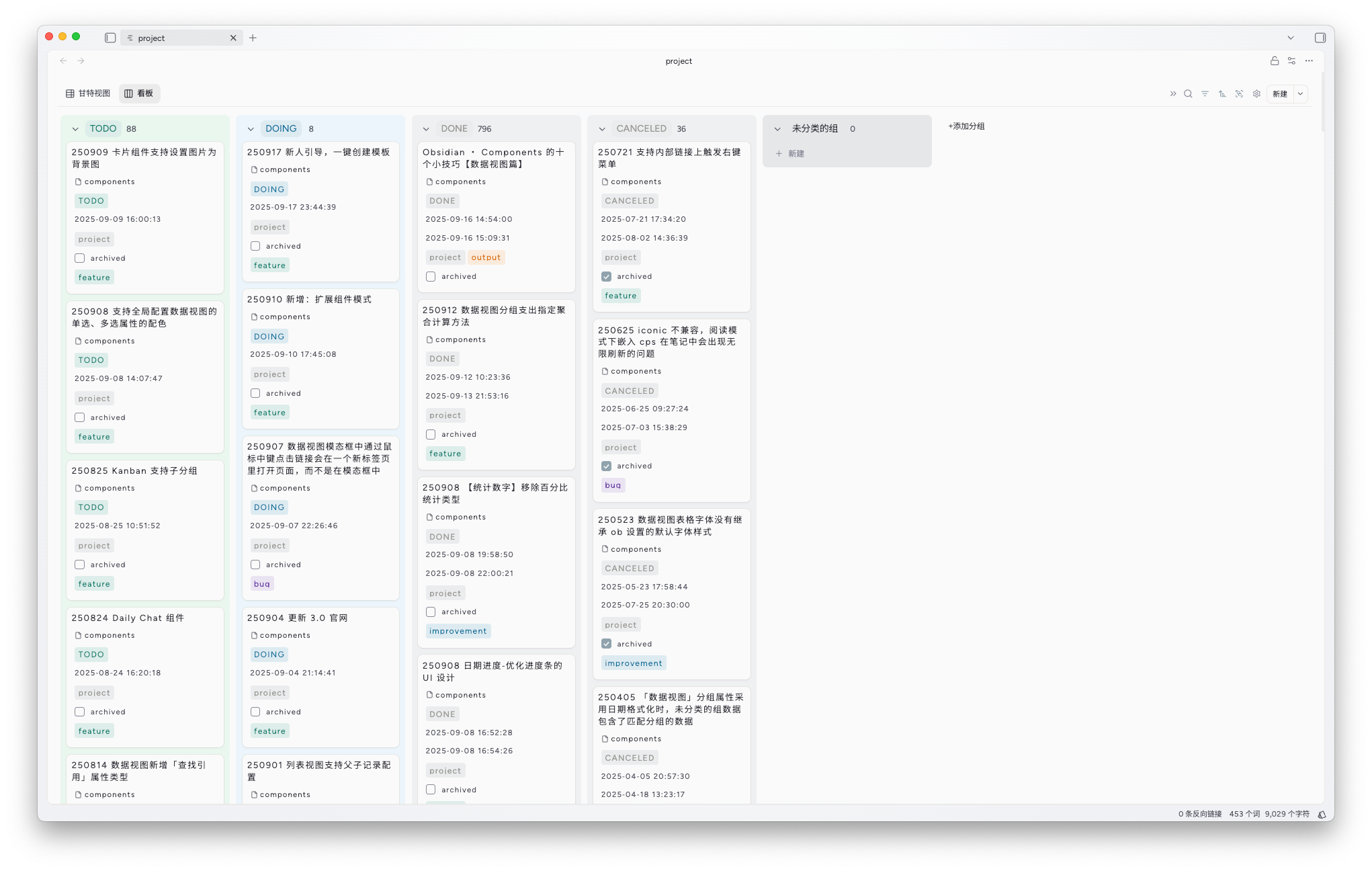
Kanban
Perfect for project management, giving you an instant view of task status and priority.
Charts
Support for bar, line, pie, calendar heatmap, funnel, stacked charts, and more for weekly reports, reviews, and operating dashboards.
Value: turn scattered data into conclusions people can understand fast
15+ components to support your imagination
No code required. Drag, combine, and build project dashboards, knowledge homepages, review systems, and personal dashboards.
Compositions
Combine components with multiple layout modes, including tabs, columns, lists, and more.
Markdown
Embed and render any markdown content, and connect smoothly with other code-block-based plugins.
Custom components
Create personalized components with JSX, or let AI generate and iterate them for you.
Cards
Flexible card components for images, text, or even button-like actions.
Buttons
Trigger commands, create files, open links, and more with a click.
Stats
Count notes, tasks, and other records with your own rules.
Date progress
Show progress toward a target date in real time.
Elapsed timer
Show how long it has been since a past date or event.
Countdown
Show how much time remains until a future date or event.
Clock
A minimal live clock component.
Check-in
Track long-term habits with lightweight check-ins.
Attachment library
Manage vault-wide attachments including images, PDFs, and more.
An AI assistant that can actually do work
From organizing your whole vault to generating components and drafting content, it turns “knowing what to do” into “starting now.”
Create a pixel-style clock component
20.9K tokens13:09
Create a pixel-style clock component that shows the current time.
- First line shows hour / minute / second
- Second line shows year / month / day
- Click the date to jump to today's daily note
- Keep the design clean and avoid excessive decoration
databasecustom-component-spec-prompt.md
Read: component spec and templates
Read: archive/database.components
tool_call: read/write
shell: npm run build
subagent: ui-polish
Deep thinking 15.8s
Requirement check
- Two lines: time / date
- Interaction: click date to jump to today's daily note
- Style: pixel, clean, practical
Ask anything...
Tool calling
Turn AI into a real operator that can organize knowledge, generate components, create articles, and summarize historical content.SKILL compatible
Connect third-party SKILLs and keep expanding capabilities for different scenarios like PPTs, databases, or canvas creation.Multi-model switching
Bring your preferred model and switch between OpenAI, Gemini, Claude, Zhipu, DeepSeek, and more.Vision support
Add visual understanding so AI can read images and extend its perception.You don't have to start from a blank page
Common problems have already been turned into templates: project execution, homepage building, and habit tracking. Apply, adapt, and get into action fast.
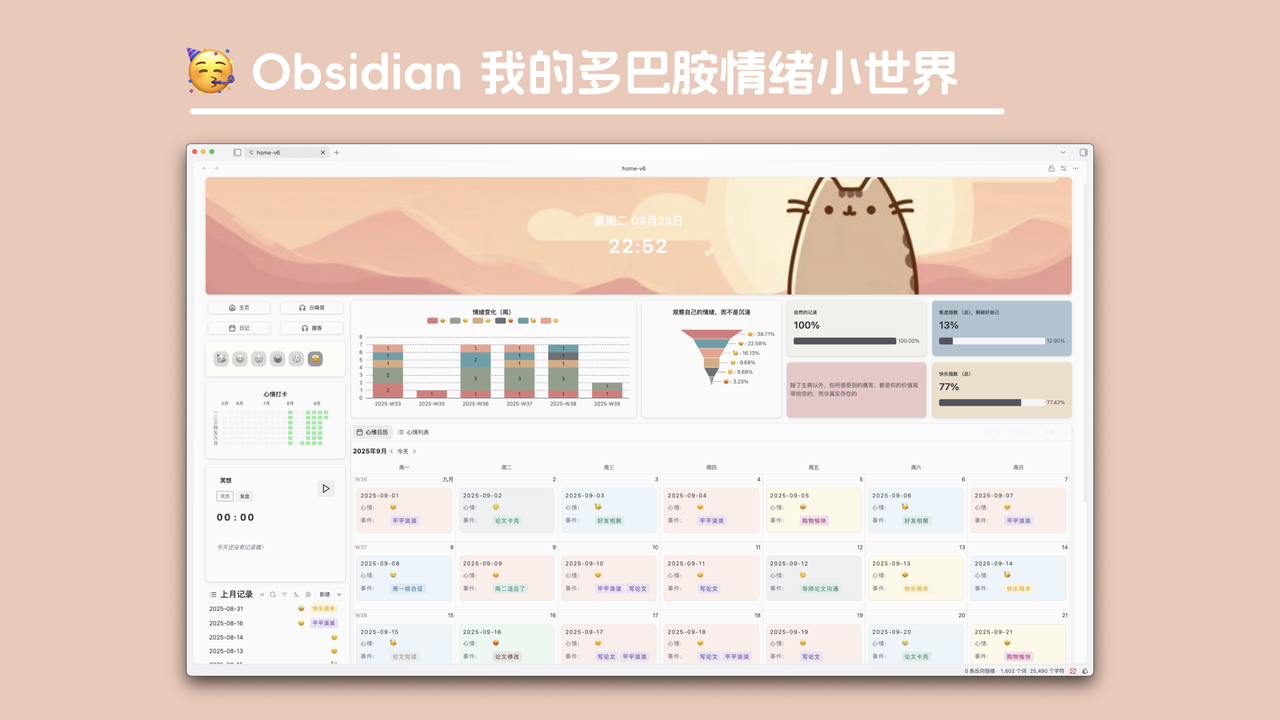
VPara
When tasks and resources become messy, VPara uses the PARA structure and a minimal plugin stack to help you collect, sort, and execute in one system. It has already been tested across many domains, with more than 1,000 projects and about a 90% completion rate.
View templateEmotion
A common problem in emotion tracking is 'I recorded a lot, but I still can't see patterns.' This template connects check-ins, journals, and dashboards into one loop so you can spot triggers and adjust your rhythm.
View template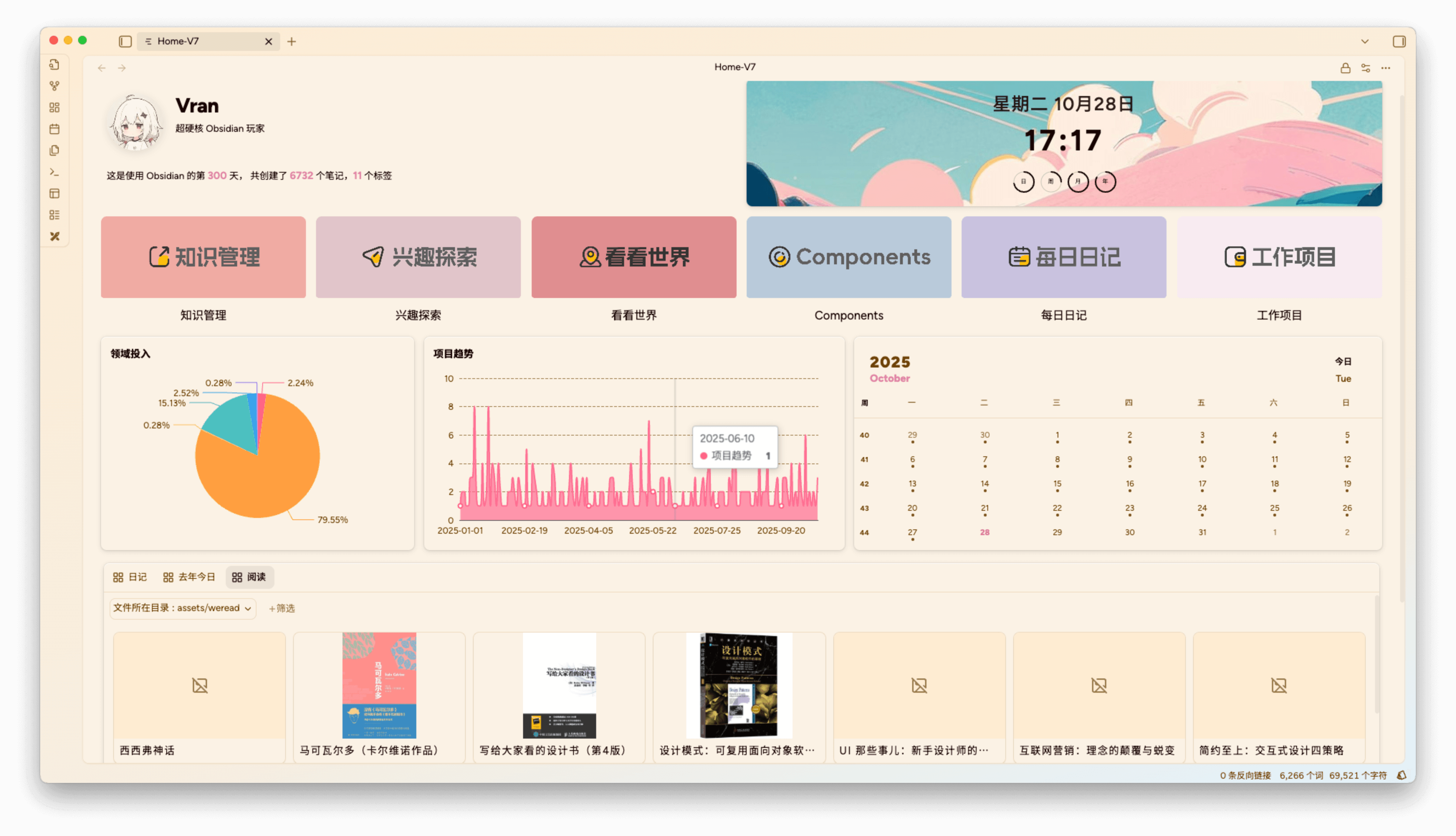
Home
A common homepage problem is 'it looks good, but it isn't useful.' This template puts components, charts, and data views on one screen so you can see what matters and act immediately.
View template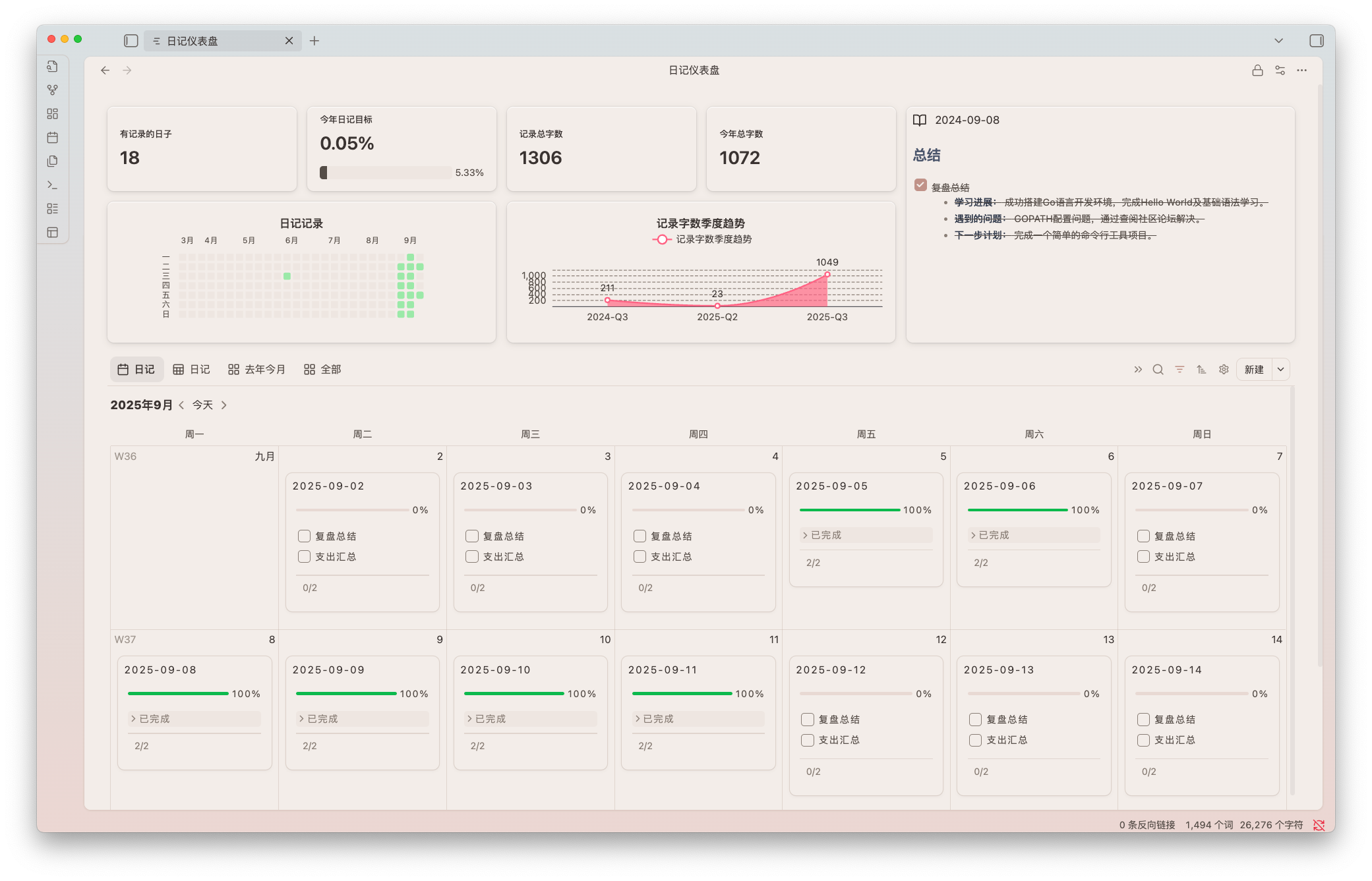
Habit system
Habits usually fail because feedback is too weak. Build a visual tracking system with check-ins and data views so you can see trends early and reinforce execution.
View templateUser stories
They've been through the same problem: too many notes, too little action. See how real users build executable systems with Components.
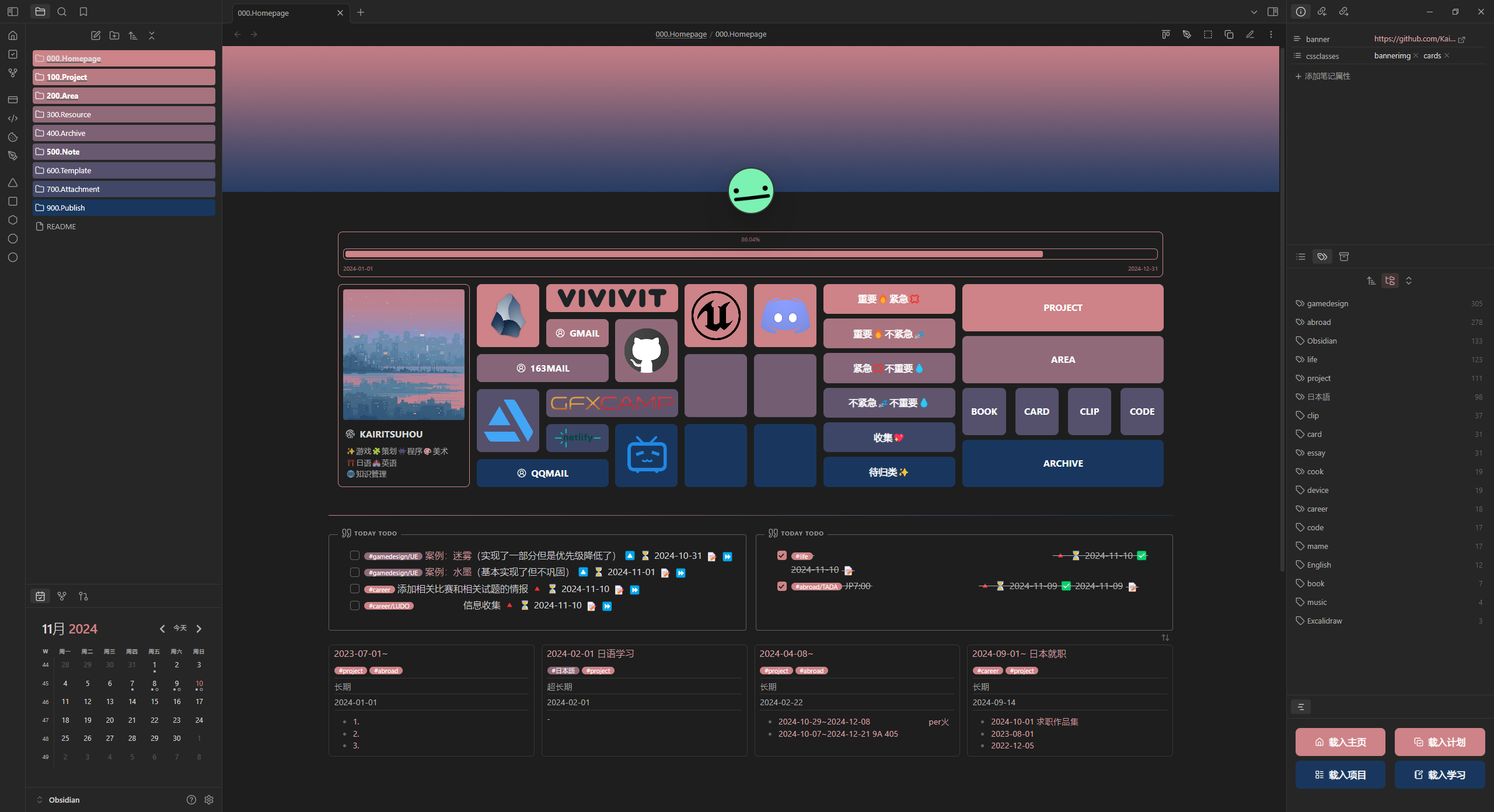
A game artist in Tokyo surviving on Obsidian.
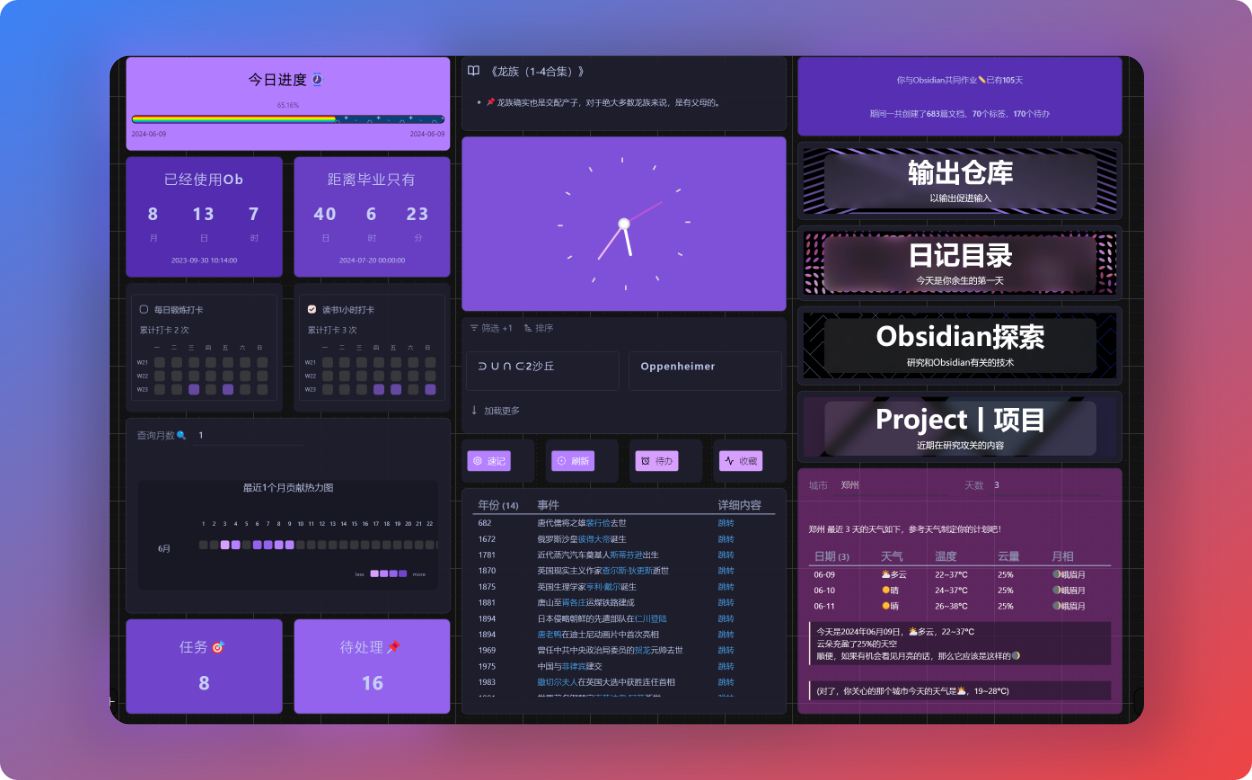
Creator of the 'ZiQuan's SPACE'公众号 and a power user of productivity tools.
Read tutorial →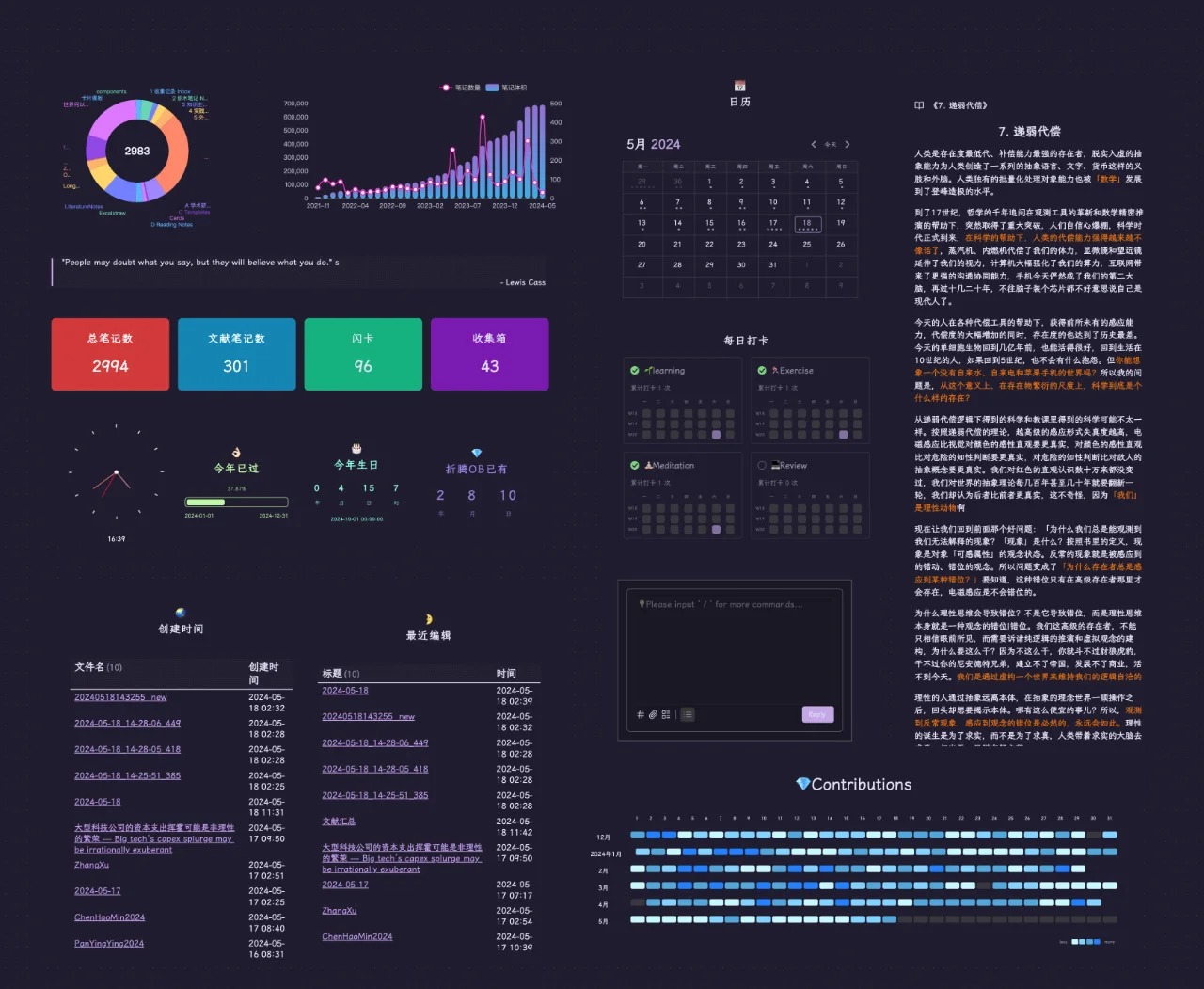
Academic writing coach who wrote a 140k-word thesis in Obsidian.
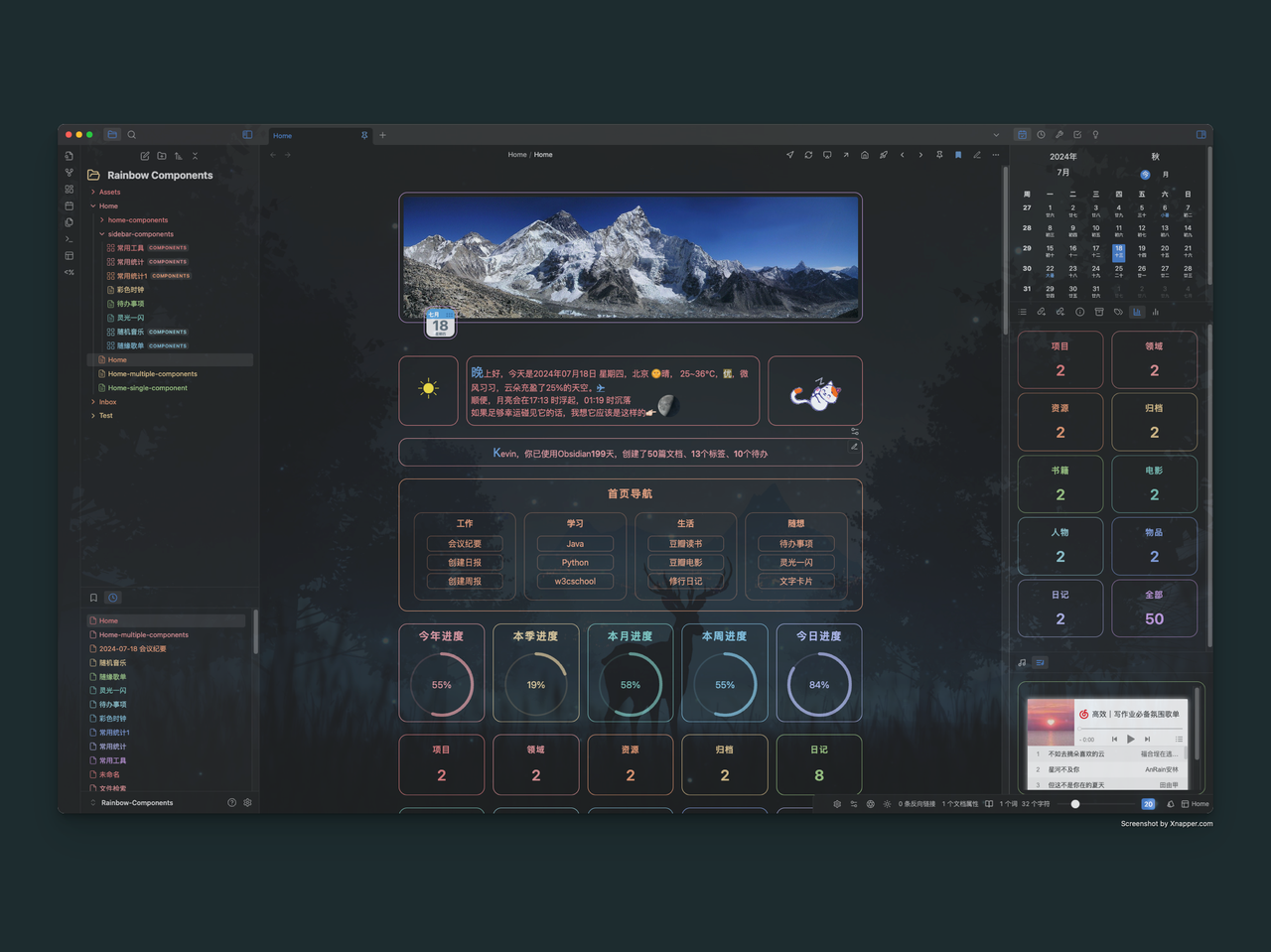
Known in the community for Rainbow Components, a template library author.
Download template →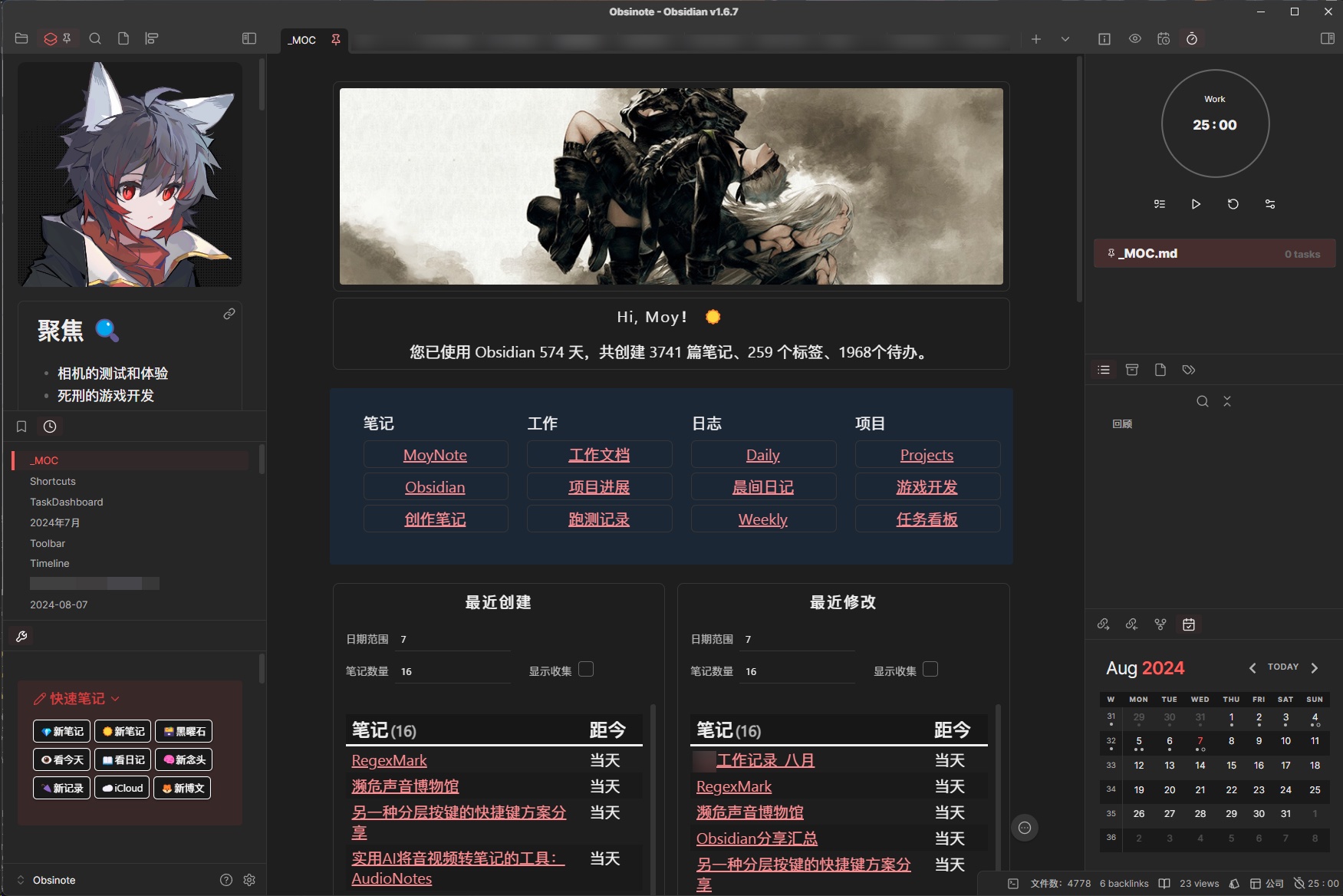
Obsidian? This is even more fun than games!
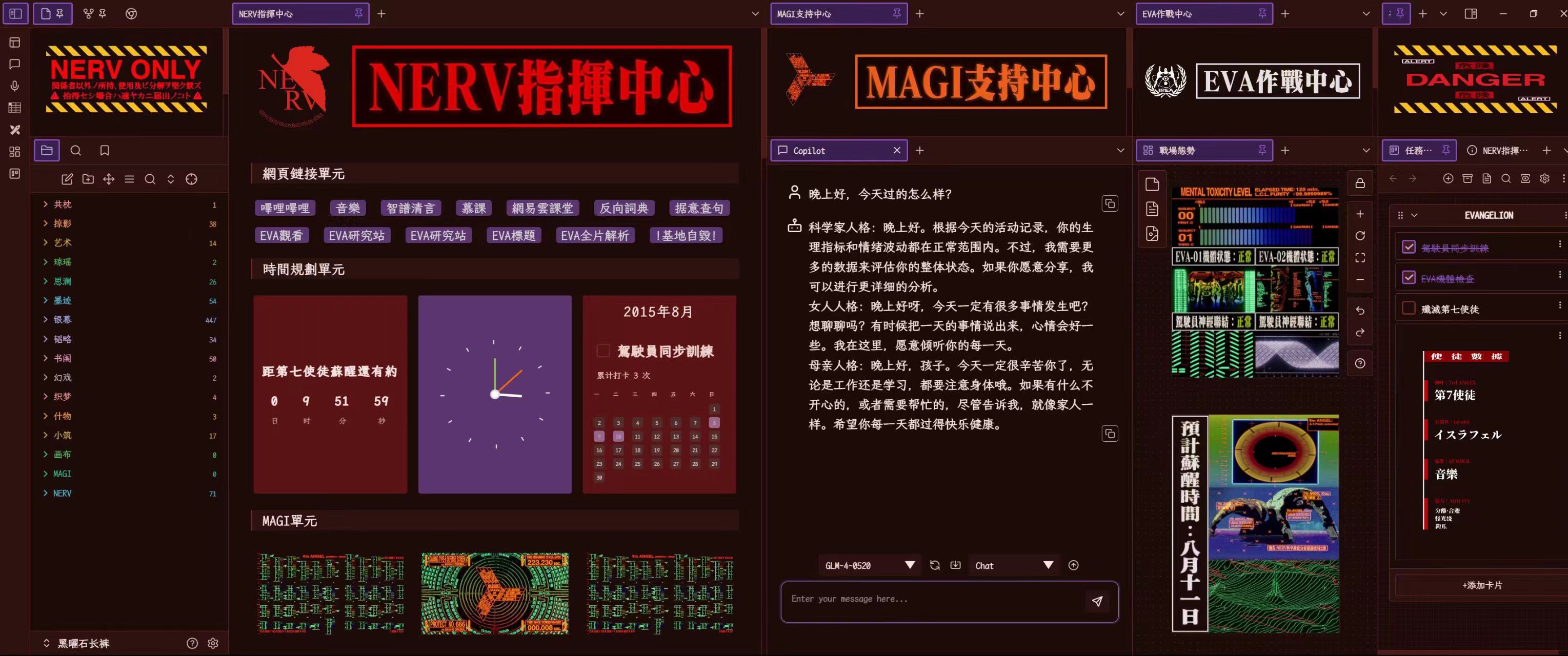
EVA theme example vault
Get template →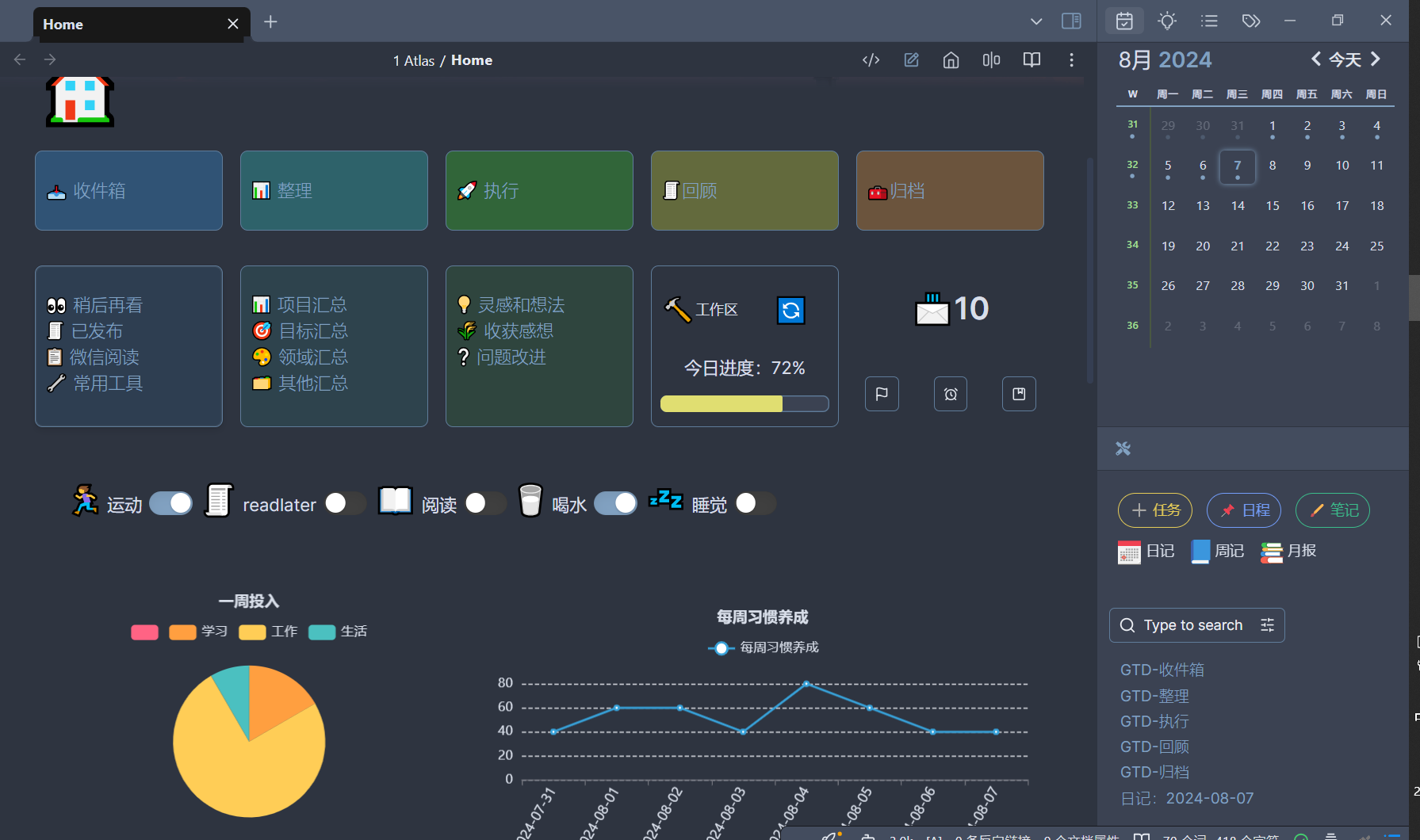

Cat pics on the wall 🐱
What users say
Long-term feedback from creators, developers, and power users
@Moy
Official Chinese translation contributor for Obsidian | Author of Easy-Copy and Yearly-Galance | Content creator
Paid closed-source plugins are already at a disadvantage in the Obsidian community. So with so many free plugins available, why can this one charge money and still attract so many buyers?
To me, CPS is worth it because it truly expands Obsidian's lower-level capability boundary and gives it real potential to compete with Notion databases. It started building database capabilities inside Obsidian two years before official Bases, and the experience feels like Bases Plus. Among similar plugins, it's the best I've used.
On top of that, it comes with charts, stats, grid layouts, and a whole set of components, which also makes it a strong solution for homepage customization.
@RavenHogWarts
Founder of Raven-Pensieve | Author of Ace-Code-Editor, Custom-Icons, Next-TOC, and more | Community geek
As one of the earliest testers from the public beta days, I've watched Components evolve at an astonishing speed. Inside the test group, every day felt like a new release.
For people who care about aesthetics and for non-coders, you don't have to wrestle with obscure Dataview code. A bit of drag and drop is enough to build a beautiful, executable system with almost no barrier.
For geeks and power tinkerers, custom components open up endless possibilities. You can generate what you want with AI in one shot, or write the code yourself for more advanced functionality.
@Erbao
Academic writing coach in Marxist theory | Community leader and admin for a million-player gaming community | Special roundtable guest in the Chinese Obsidian community
I've been lucky to witness the whole journey of the Component plugin—from its first emergence to the thriving ecosystem of more than a hundred blooming components today.
After years of polishing, the design philosophy has remained consistent: open without losing boundaries, flexible without falling into chaos. Whether you're a deep geek or a lightweight user, you can build your own component kingdom here.
As a humanities student with zero coding background, I was still able to build several useful mini components with the help of custom component support, which dramatically improved my knowledge management efficiency.
@joeytoday
Knowledge management enthusiast and content creator who loves tinkering with fun things
My deepest impression of Obsidian used to be that its databases were just too ugly, which made me avoid them for a long time. But Components makes Obsidian databases look much more like Notion. For me, aesthetics are the first motivation for tinkering.
Once I started using Components heavily, I realized database display was only the baseline. I could also customize my own components, so I began building my own mood calendar and journal review widgets. It wasn't only prettier—my notes actually came alive.
If you like tinkering too, this is basically a must-buy plugin once you've chosen Obsidian.
@闫羽鳞
Founder of Miaoziguan | Lead designer for multiple billion-scale brands
Before I use a piece of software, I always want to understand the developer behind it—whether they have a bad track record, whether this is just a passing whim, or whether they'll leave users behind after digging a big pit.
V is one of the very few real friends I have in the programming world.
His product has been updated steadily for years. As a paid plugin in the Obsidian ecosystem, it paid for itself long ago. I don't need to say how reliable it is. We even became friends because of this plugin. My level of support speaks for itself: to help V keep going for the long run, I teamed up with another big name, Erbao, and we co-funded and co-created a typeface called 'Miaobaozu Shining'. It's the only time I've used my professional skill to 'chase a star.'
V is my friend, and also someone I learn from.
I've always believed: only reliable people can build reliable products.
Trial and buyout
Validate with a trial first, then buy only if it fits. Keep decision risk low.
Components is still being refined
0days
7-day full-feature trial
$0 / seat
Validate whether it solves your core problem before deciding to buy.
Start freeOne-time purchase, long-term use
28 USD
Keep getting iterations without paying again and again
- Unlock all components and database capabilities
- Connect your own AI models for vault-wide collaboration
- Get support through the member community
- Keep receiving new ready-to-use templates
- Benefit from continuous component updates
FAQ
Are future updates included after purchase?
Yes. A one-time purchase includes continued access to new components and feature updates.Can I use Components without writing code?
Yes. The core experience is visual building, so coding is not a prerequisite.How do I connect AI features?
You can configure your own AI provider and model, keeping everything controllable and replaceable.What can the AI Agent do?
It can help manage knowledge across the whole vault, create components, and generate content.Where can I find the docs and agreement after purchase?
You can read the documentation and the purchase agreement.How do I get support when I run into problems?
You can keep getting help through the docs, changelog, and post-purchase support channels.
About me
An old-school programmer lucky enough to survive from the previous century. I've open-sourced a few products (4k+ stars in total) and I'm now evolving with the new era. Representative works:
Components
Closed sourceObsidian Plugin
The current project: a plugin for visually building knowledge systems in Obsidian.
View repositoryComposer
Open sourceObsidian Theme
A clean Obsidian theme.
View repositoryForm-flow
Open sourceObsidian Plugin
A powerful productivity plugin for Obsidian, built for fast capture and automation workflows.
View repositoryContribution graph
Open sourceDataview Plugin
A flexible heatmap plugin for Obsidian powered by Dataview.
View repositorydatabasir
Open sourceDatabase Platform
An open-source platform for automated database schema management.
View repositoryprettyZoo
Open sourceDeveloper Tool
An open-source visual GUI client for ZooKeeper.
View repository